PEG3 data entry tracking

Author

Yufan Gong

Published

November 5, 2025

1 Introduction

This document aims to track the data entry process for PEG3 study. Currently, I focus on the data entry tracking for the following forms [i.e., GDS, MoCA, and UPDRS(if case), Medical checklist, timeline, and life history questionnaire] among participants who 1) have screeningstatus; or 2) have blood sample; 3) have stool sample; 4) have phys_apptdate_status (for cases).

Notes:

The following code is assuming that you are using Windows OS on a HIPAA compliant device.

  • Make sure you have read this post before you run the code.
  • If you are using Mac OS, please check this link for .accdb connection, and please make sure the .accdb file doesn’t have a password if you are using Mac OS.
  • Alternatively, you can also connect to the database using pyodbc package if you prefer using Python.
  • For other database types, please refer to this blog.

2 Visualizing

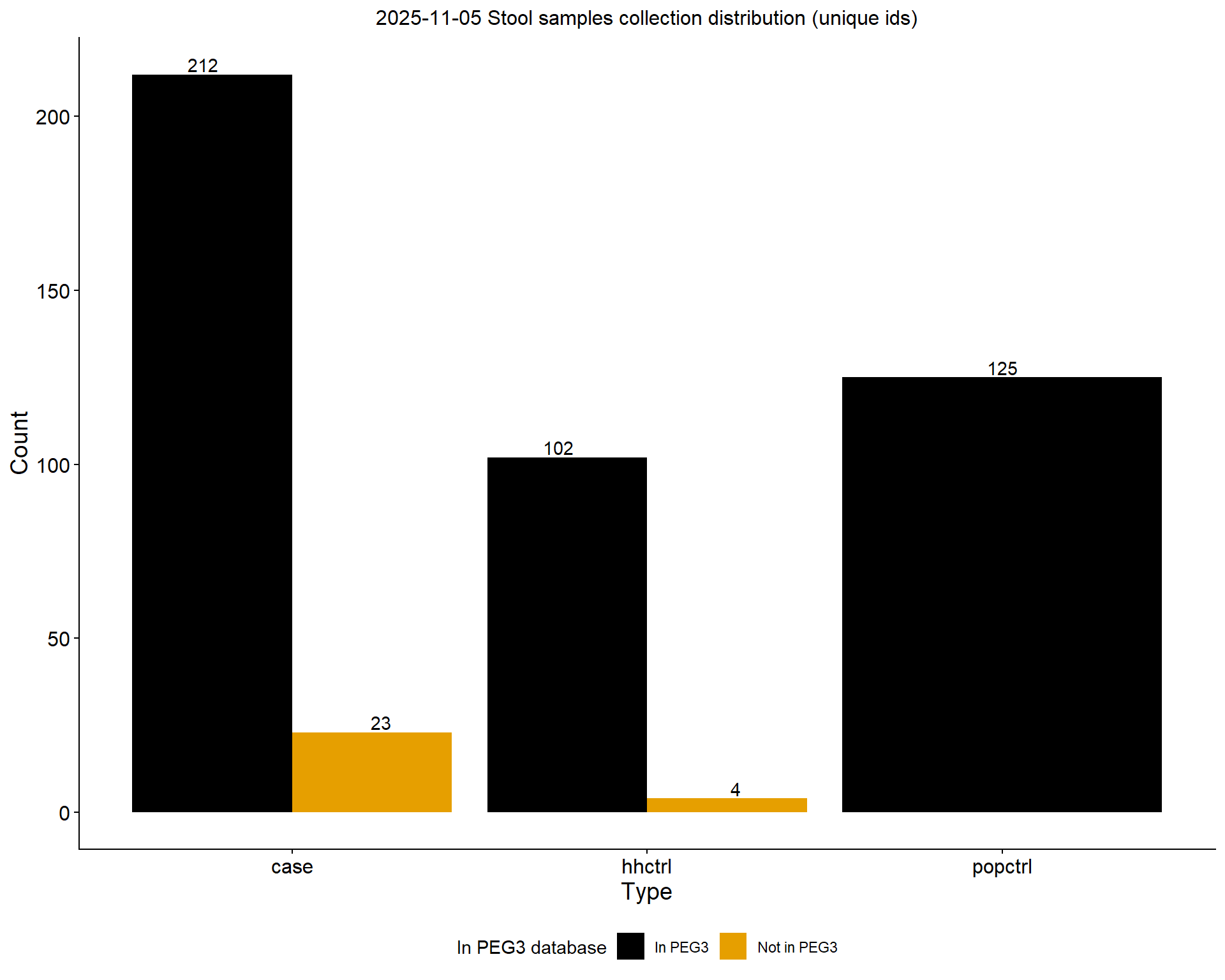
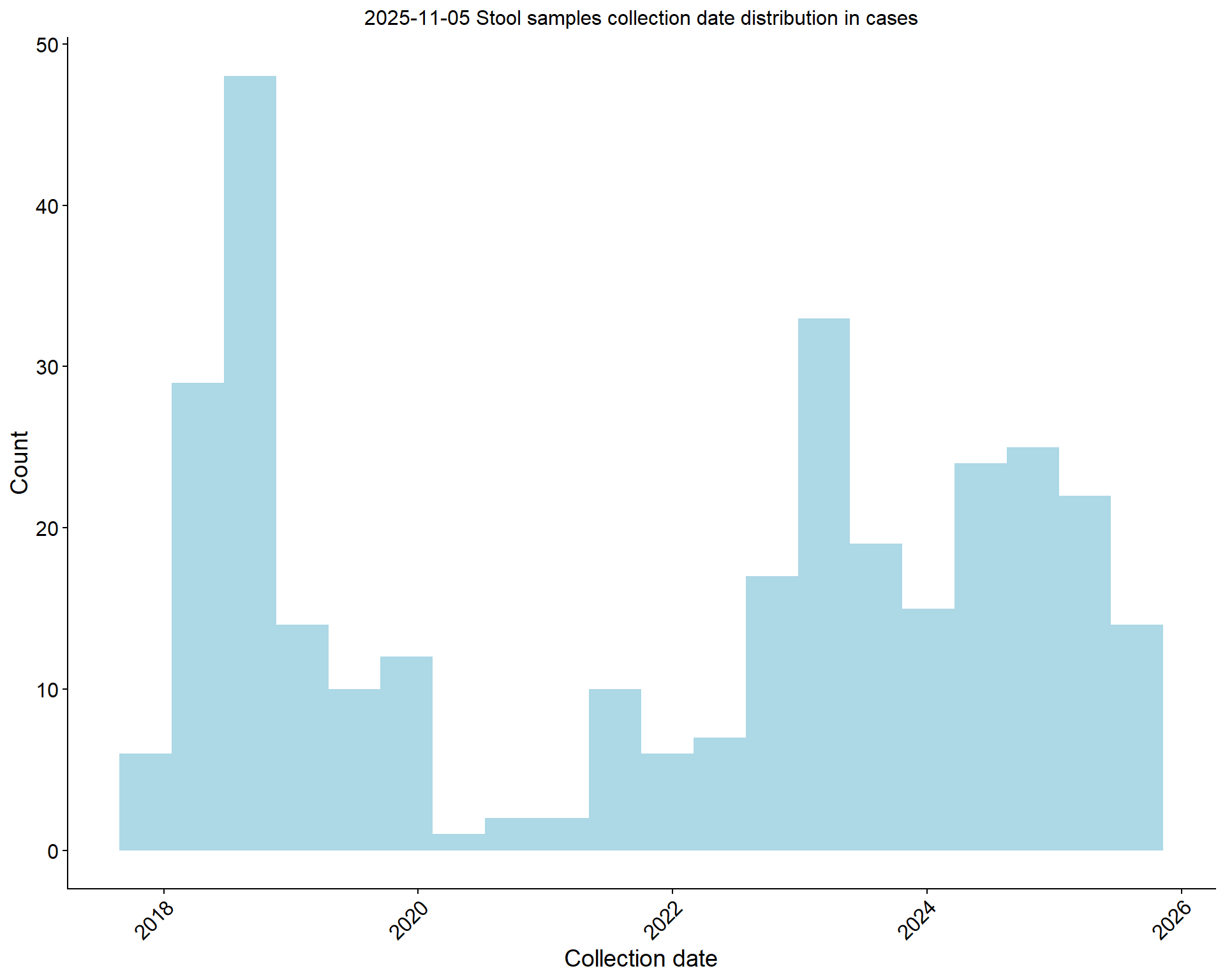
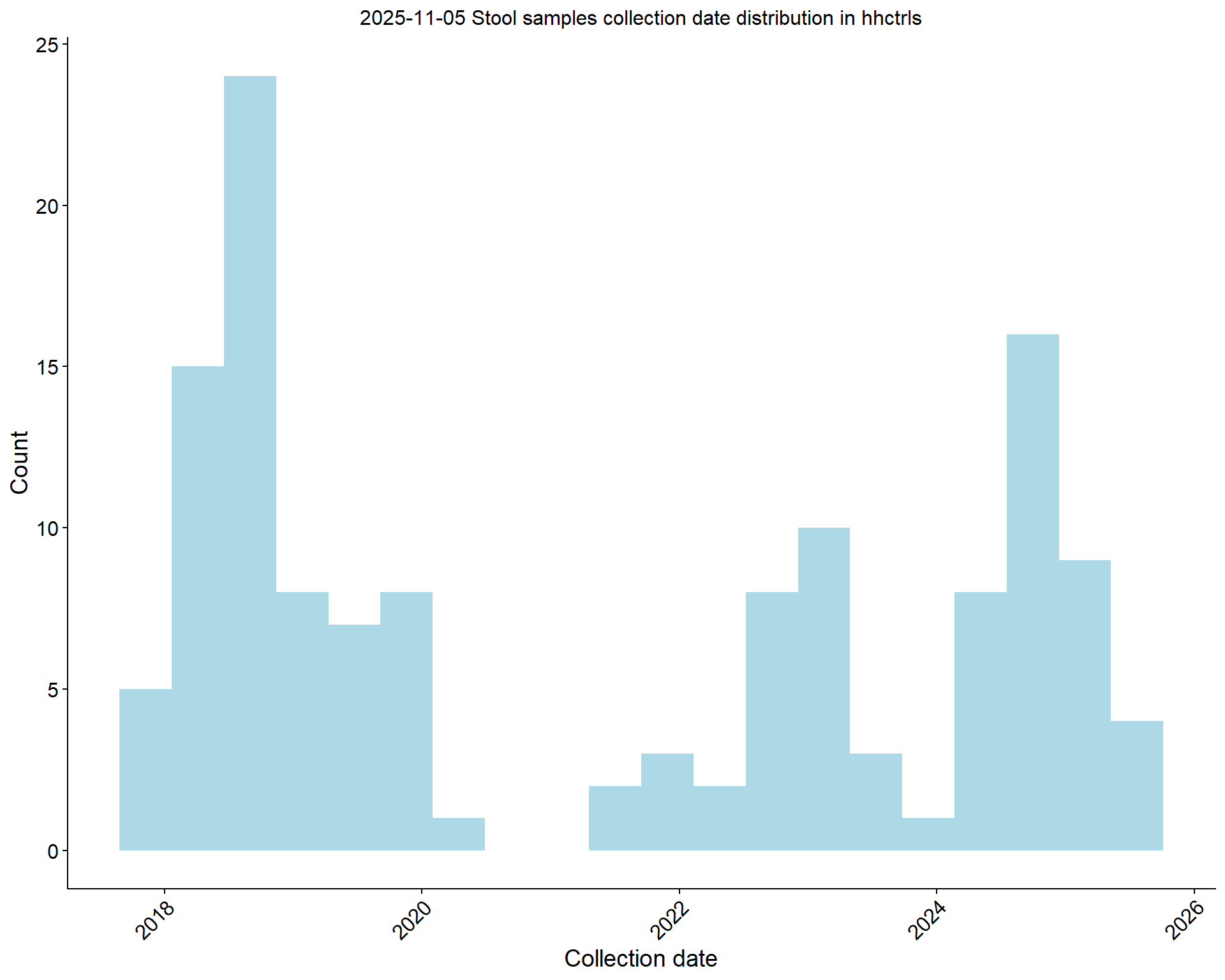
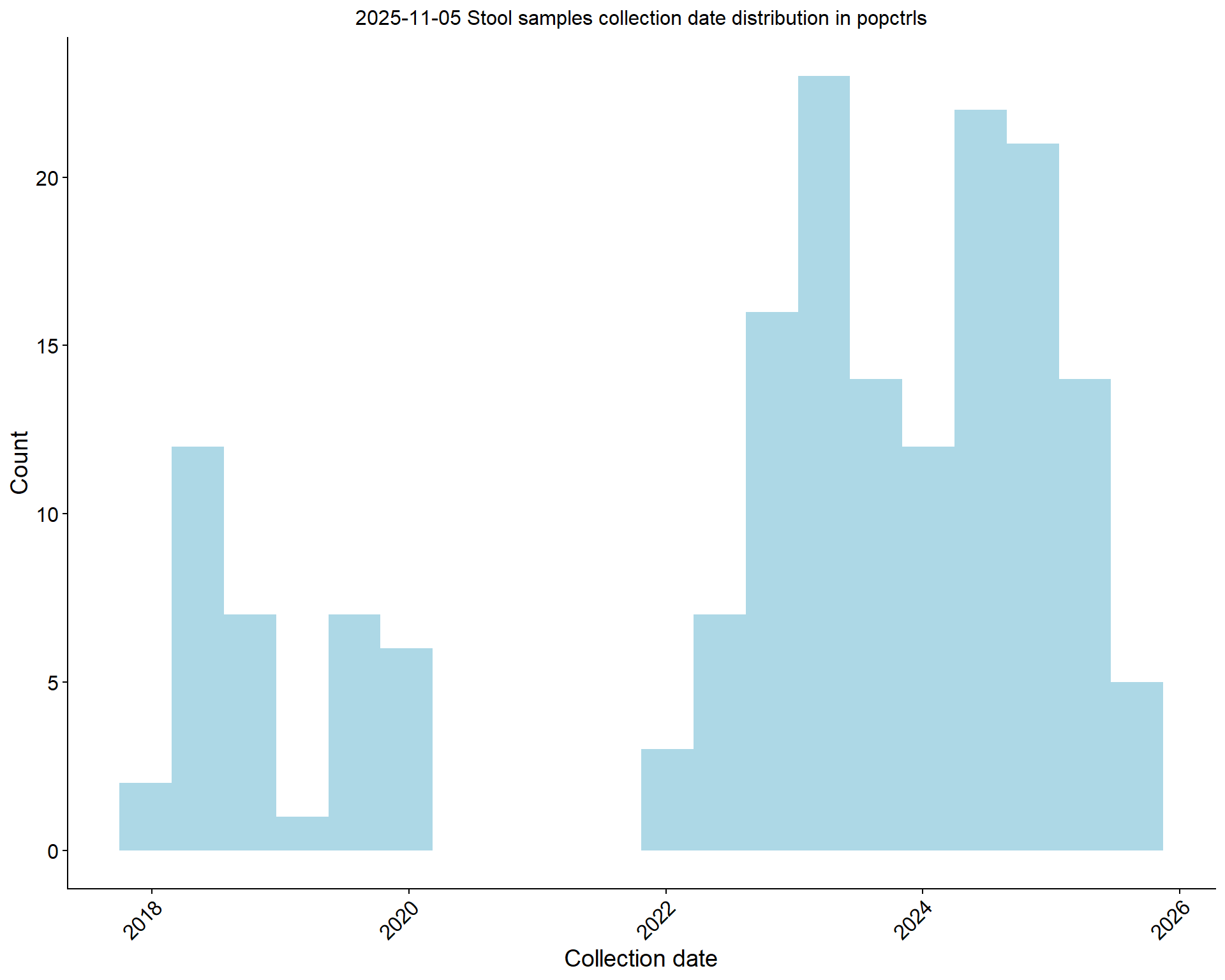
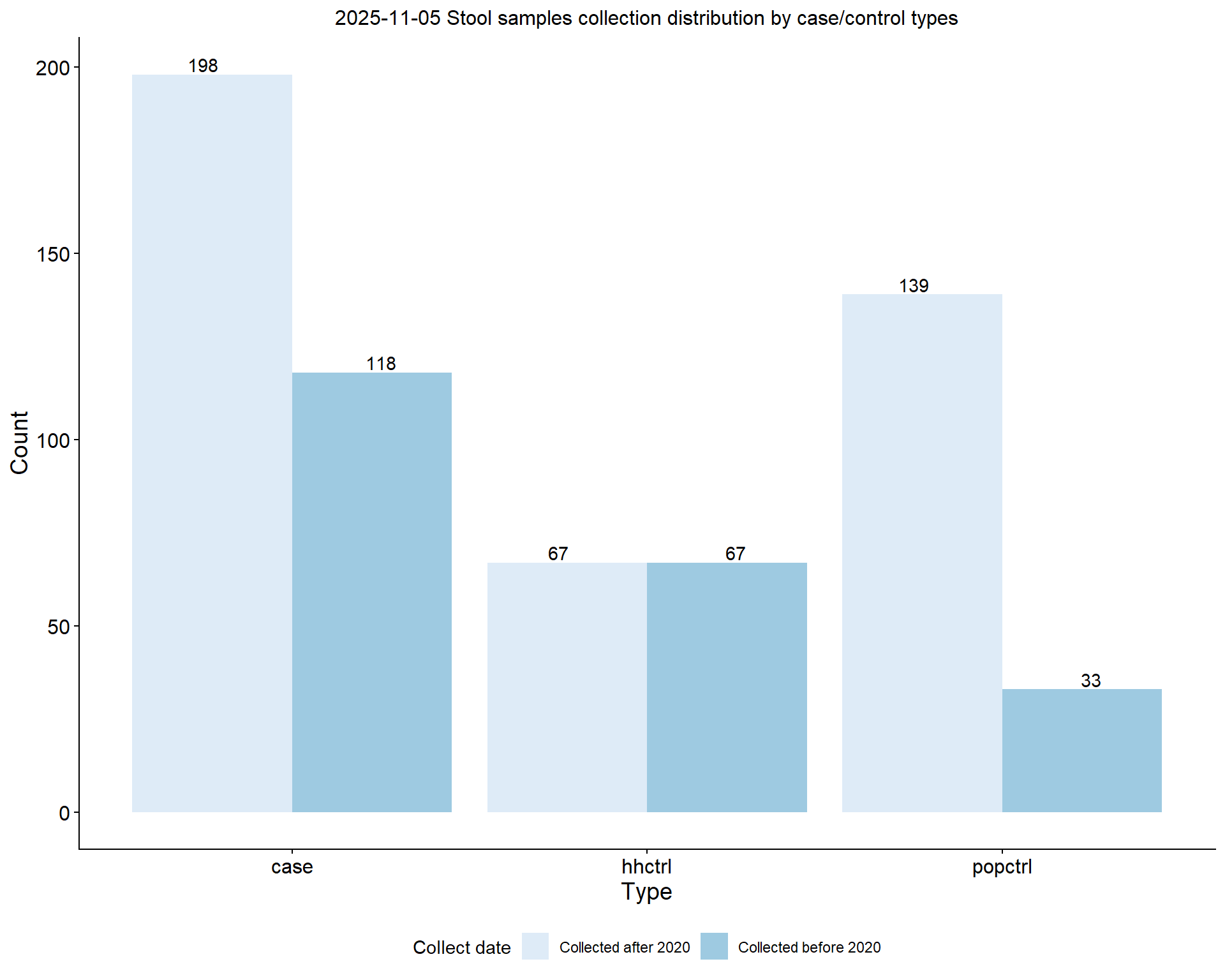
2.1 Stool sample collection tracking

$case


$hhctrl


$popctrl
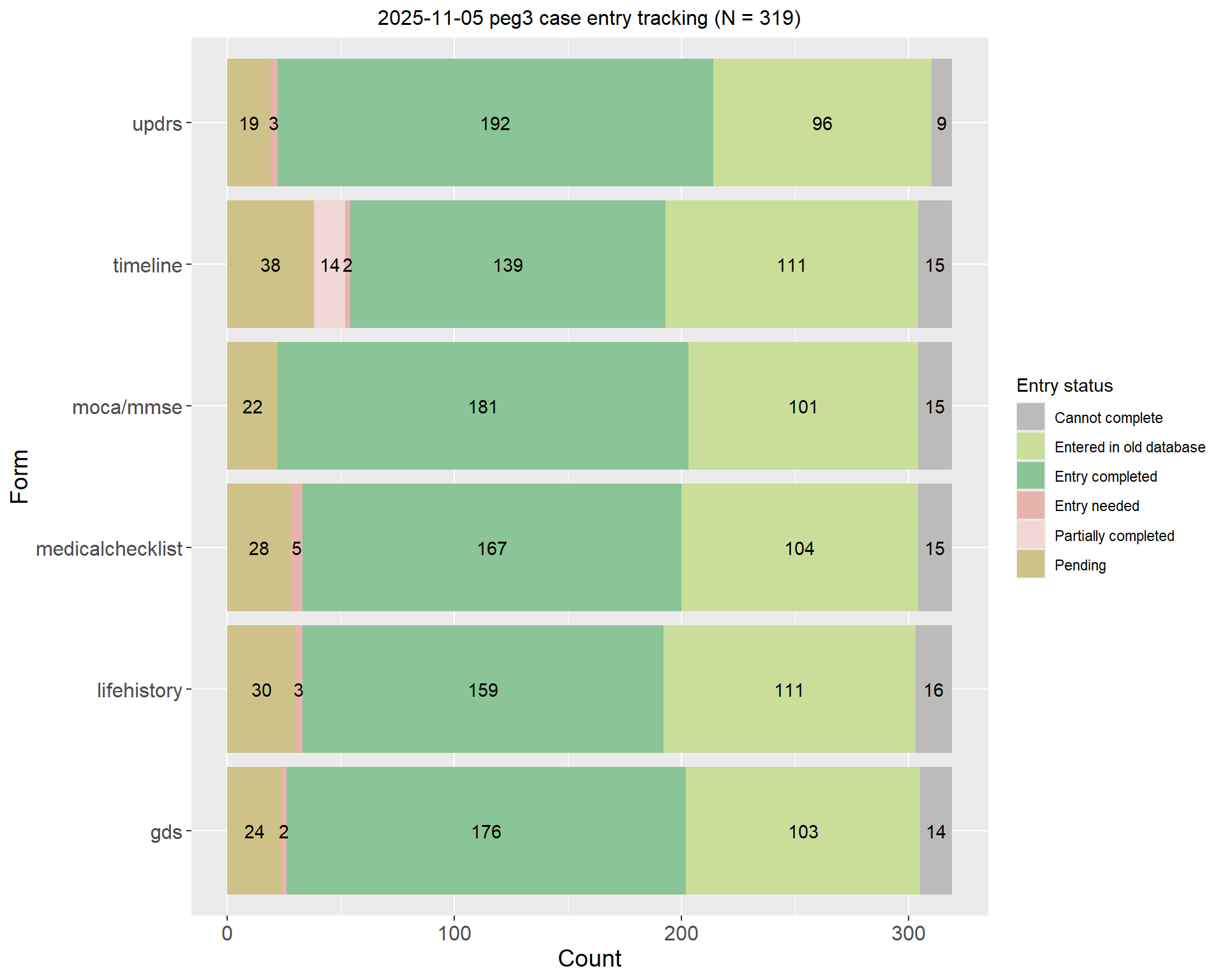
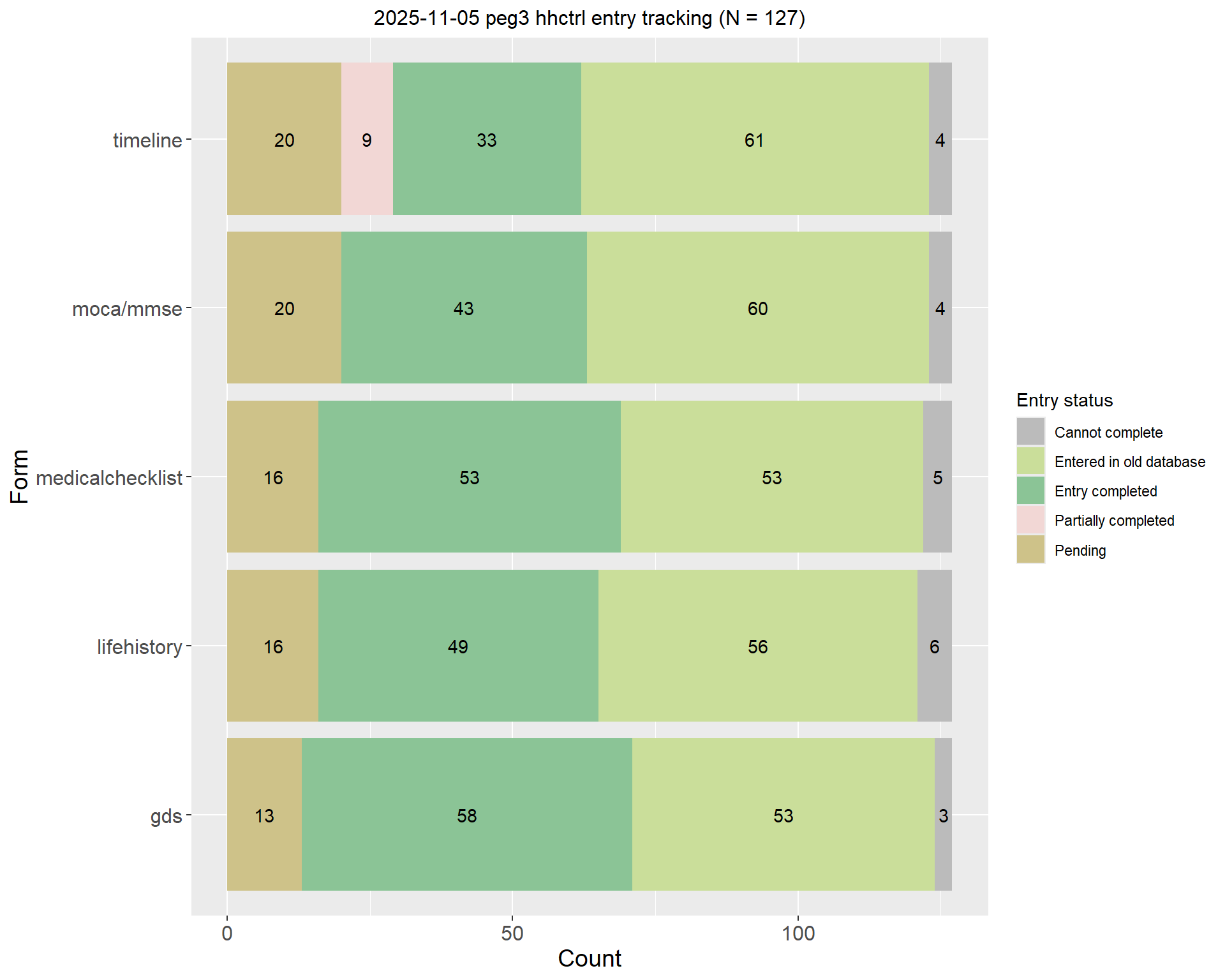
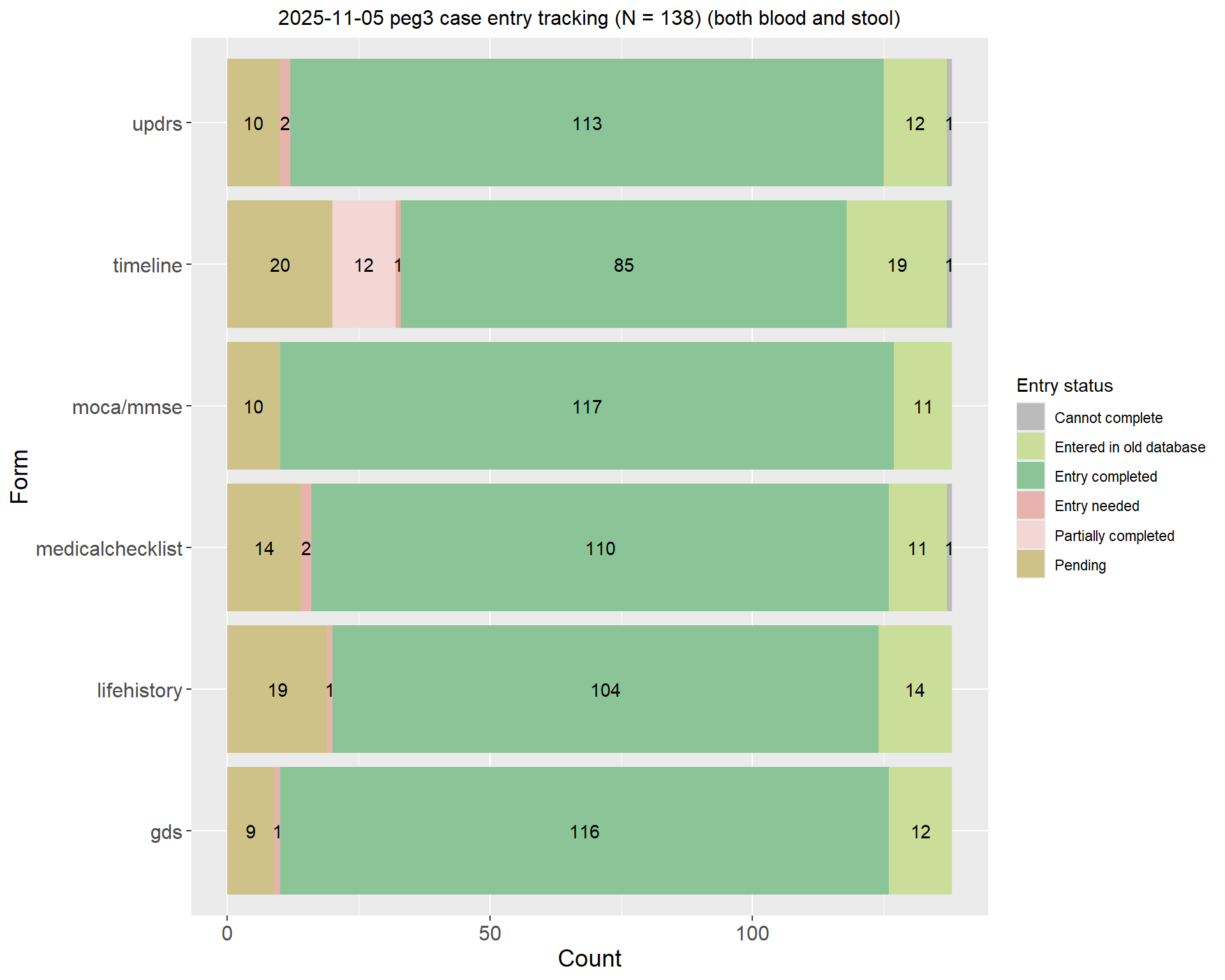
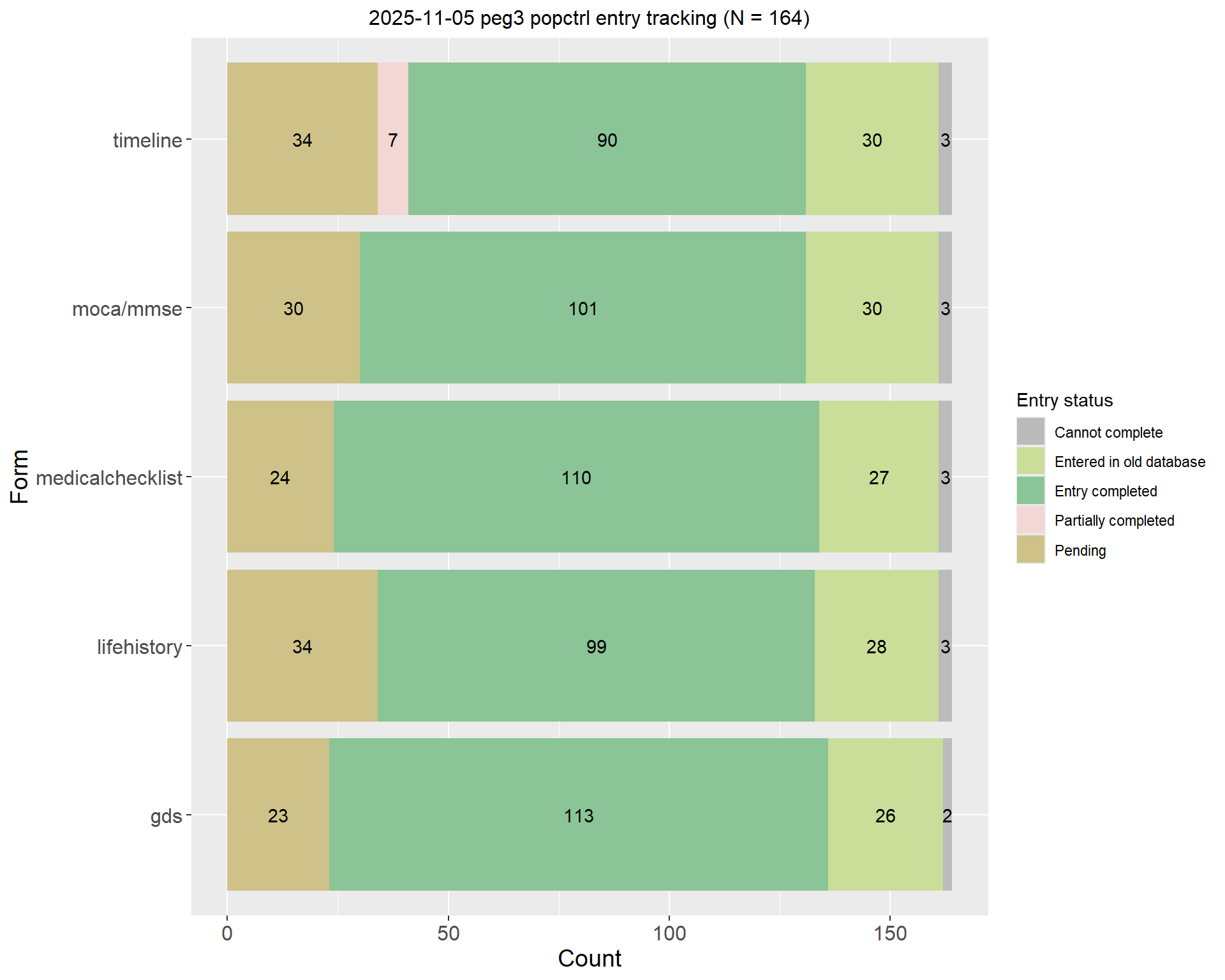
2.2 Entry progress tracking

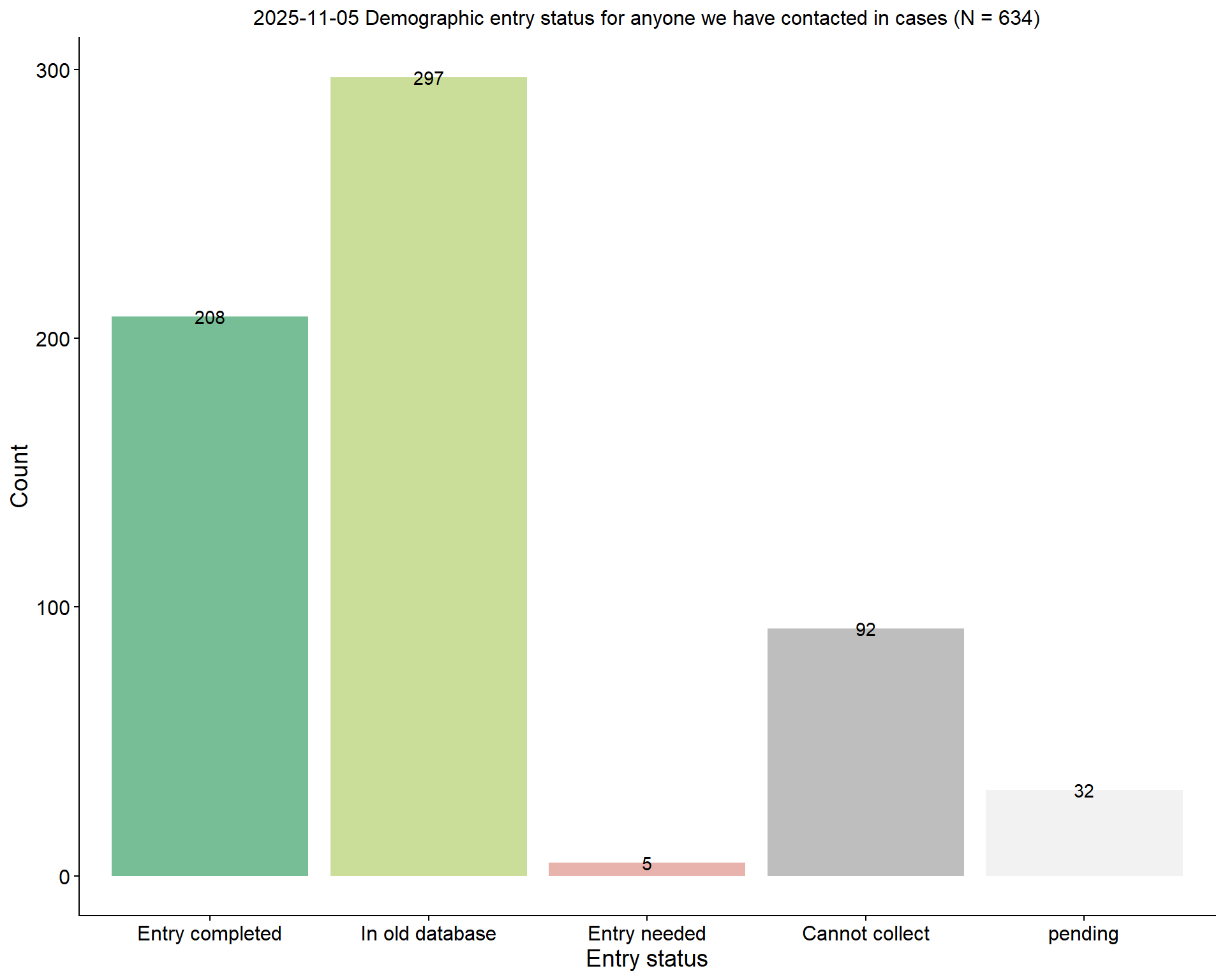
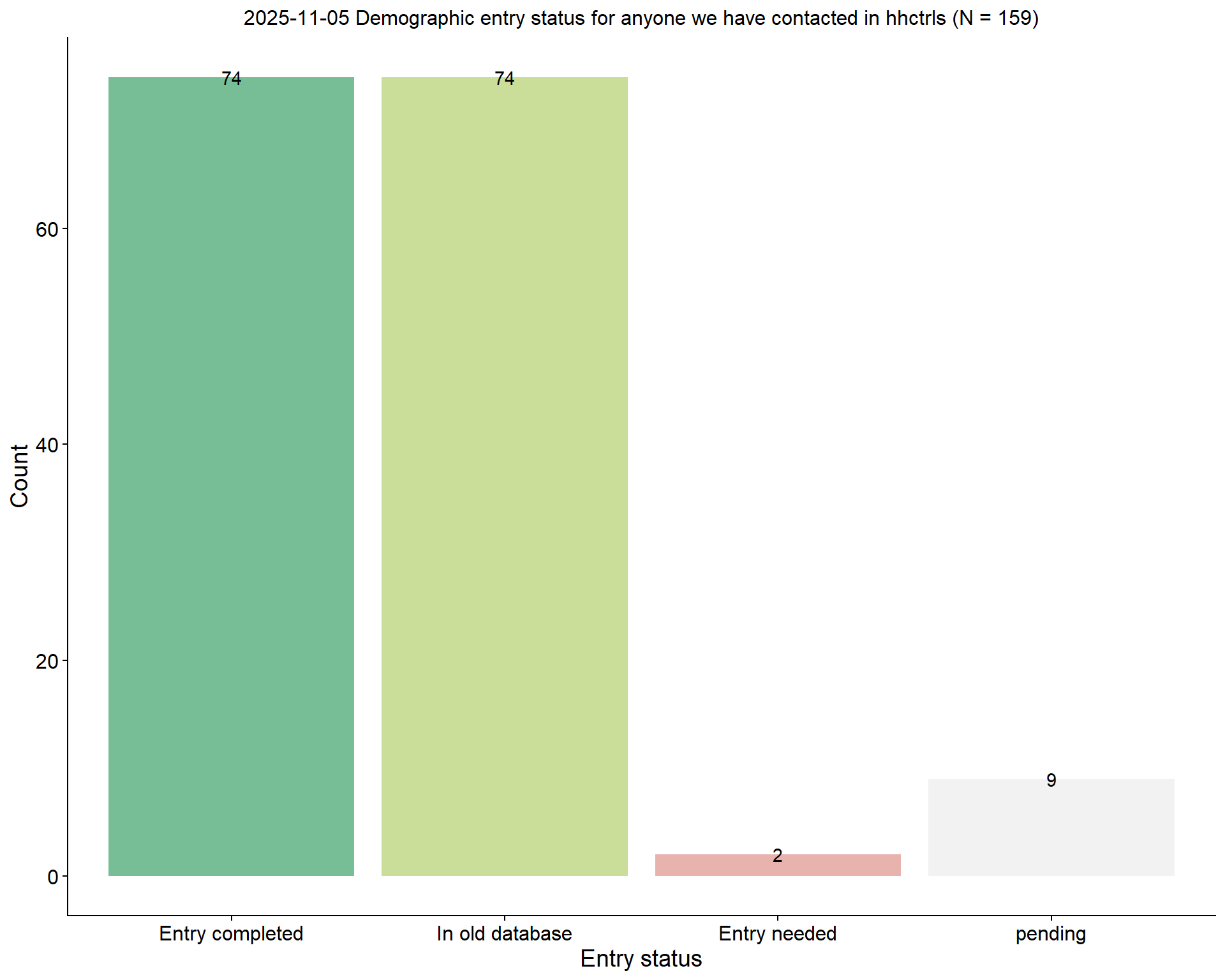
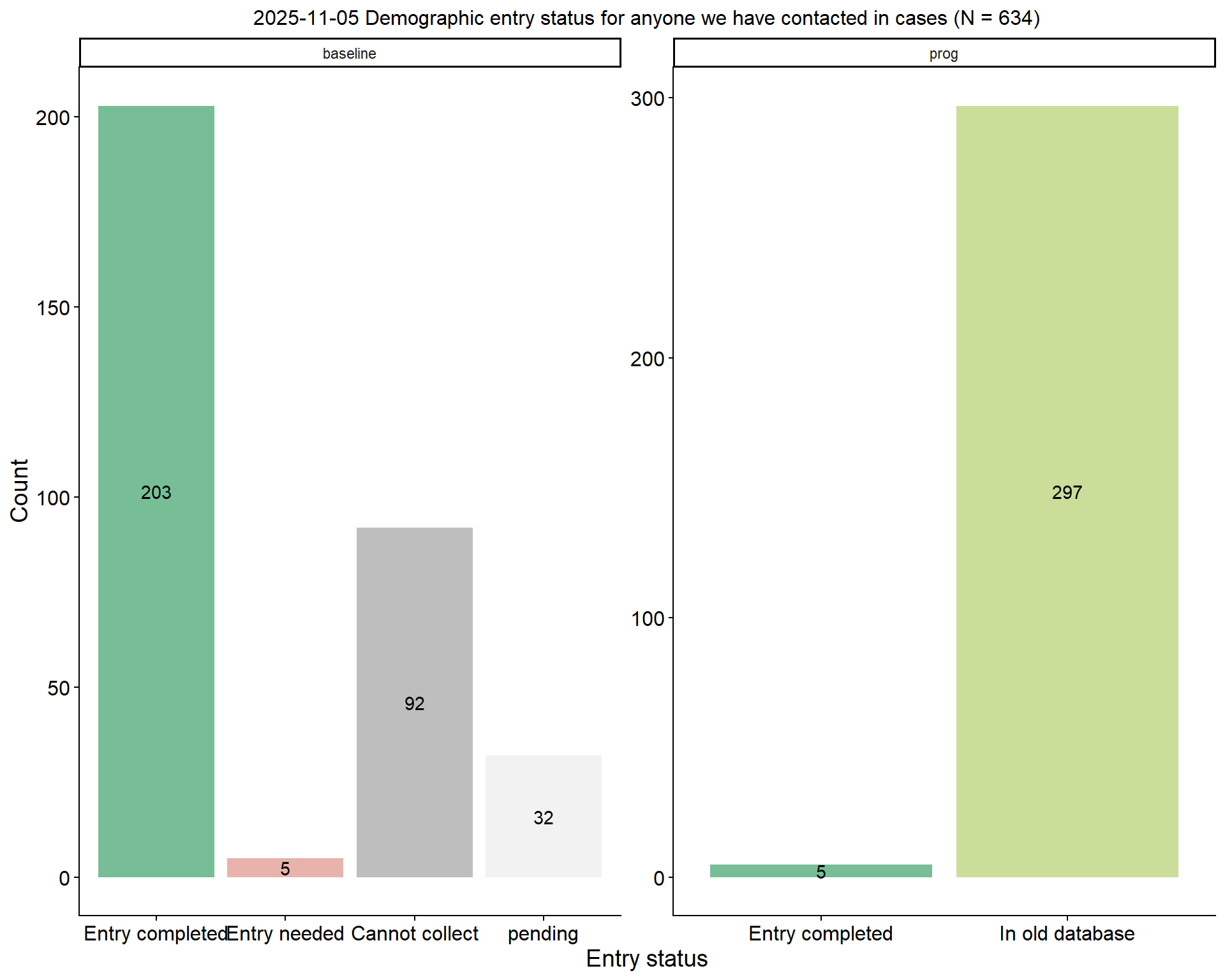
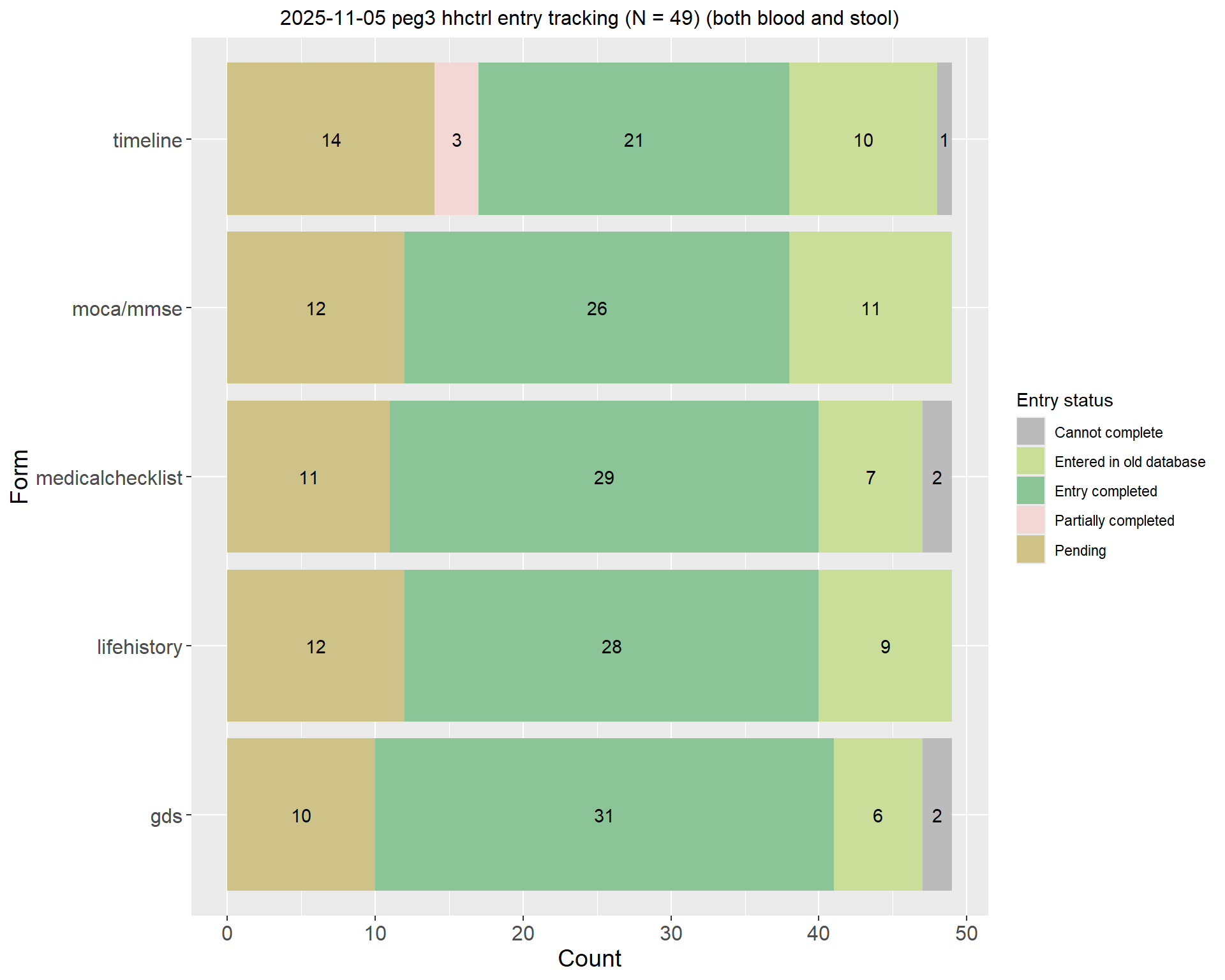
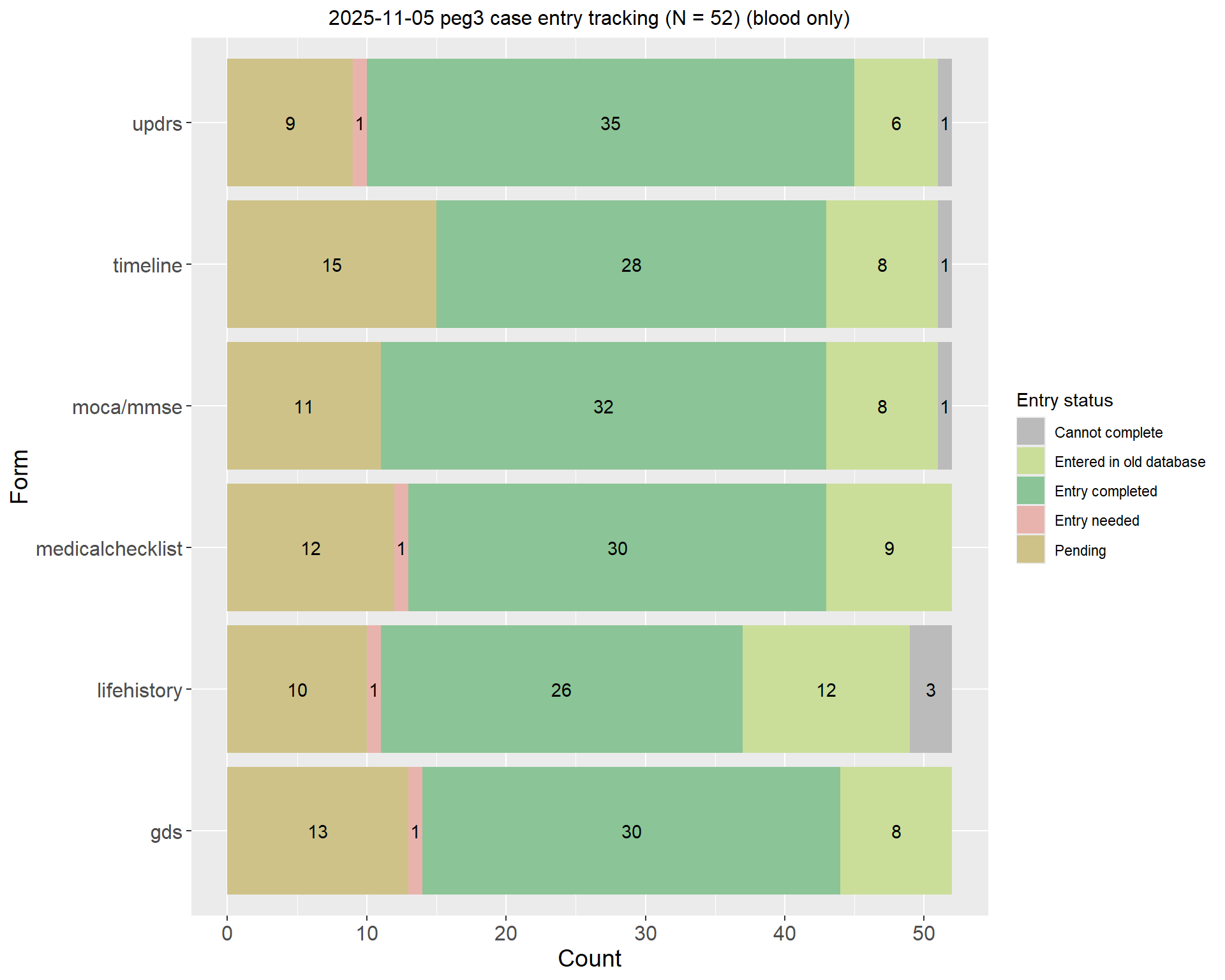
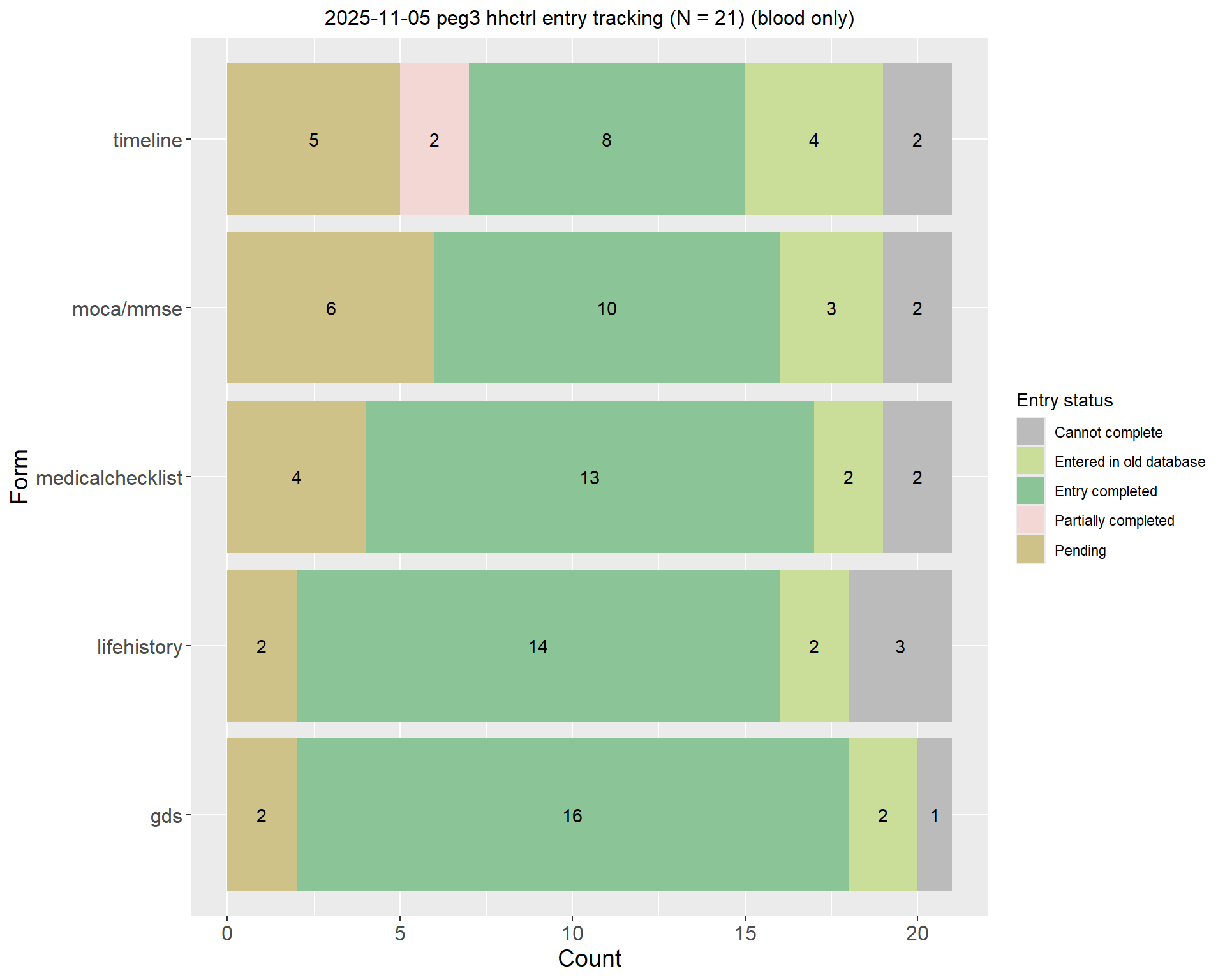
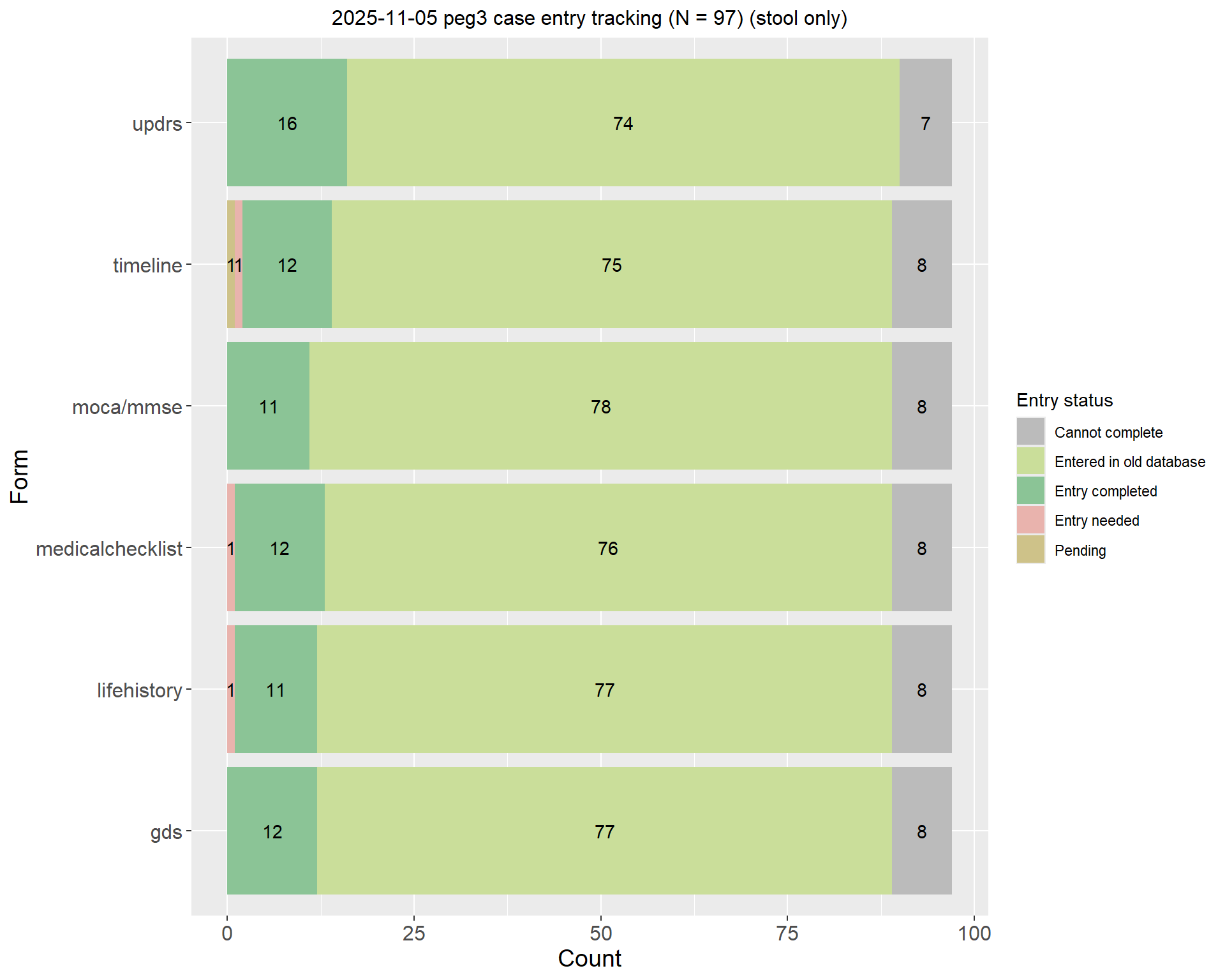
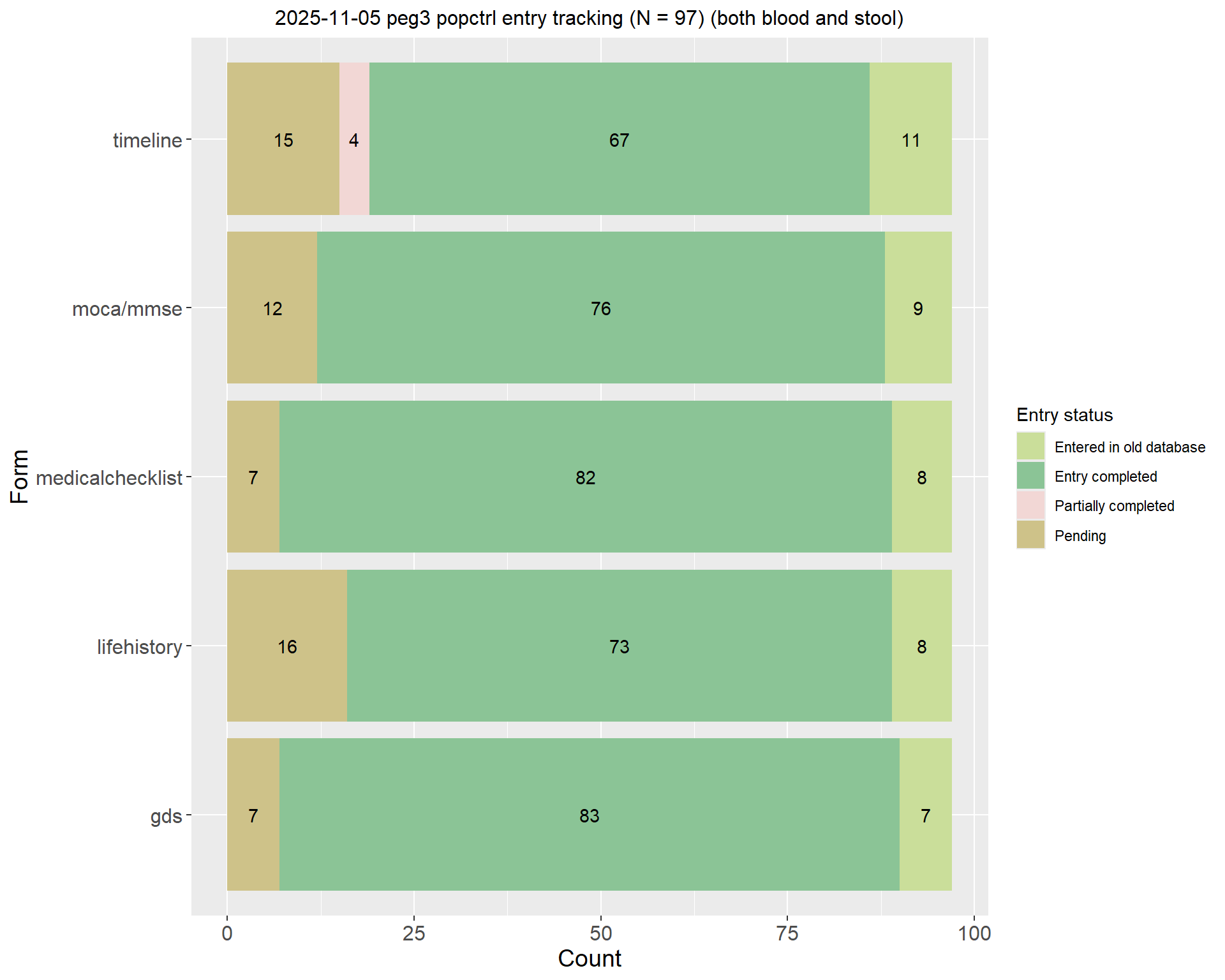
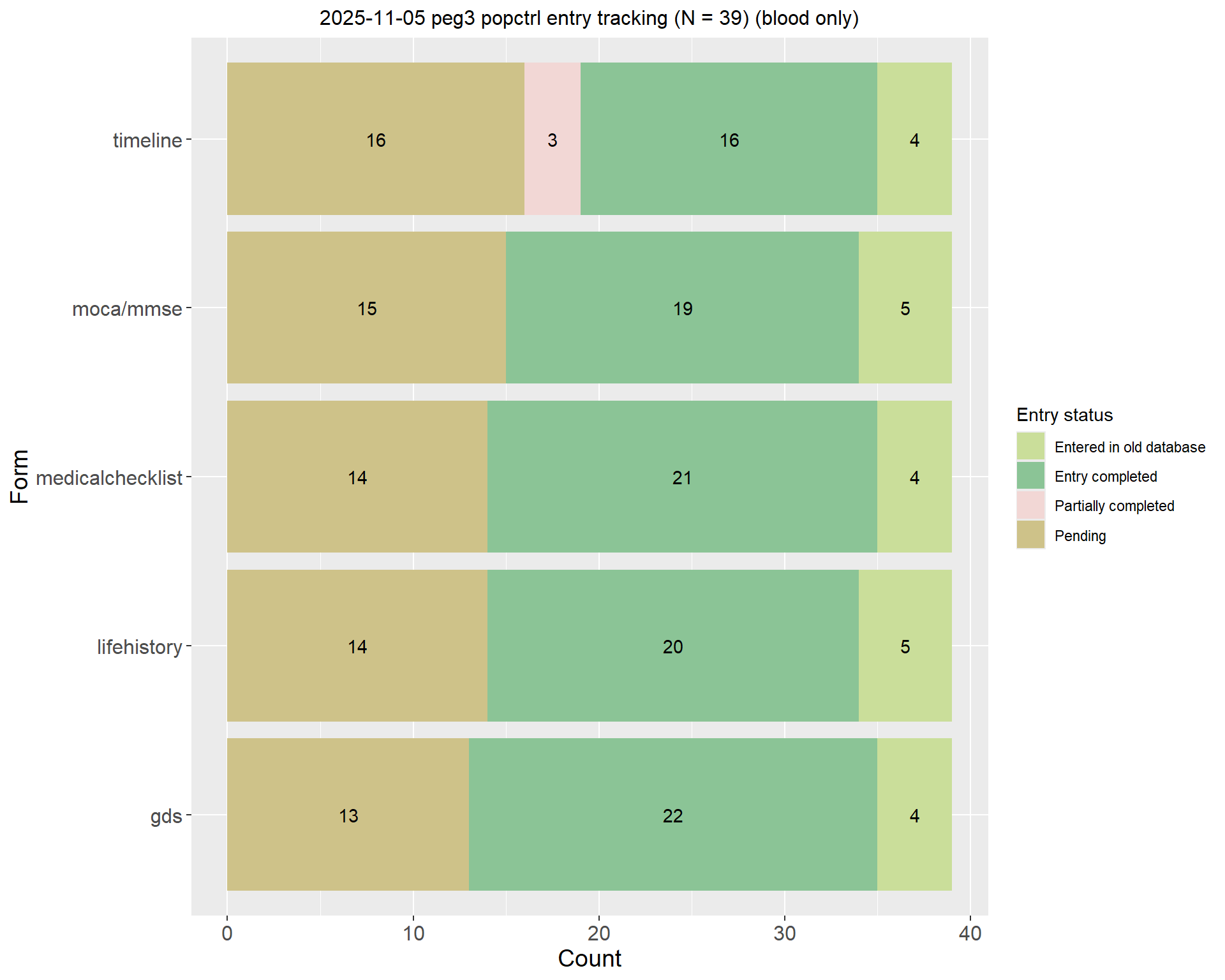
Definition:

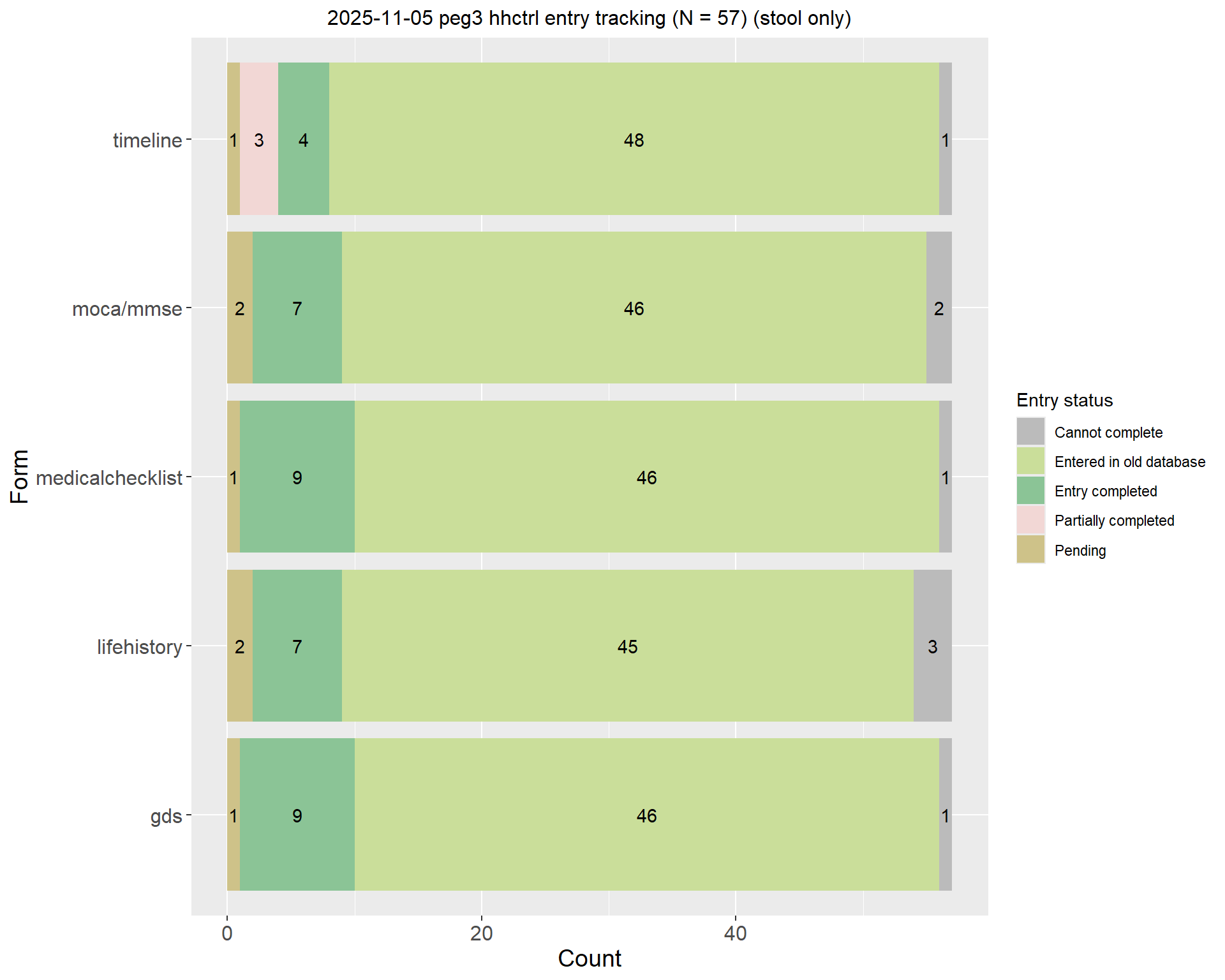
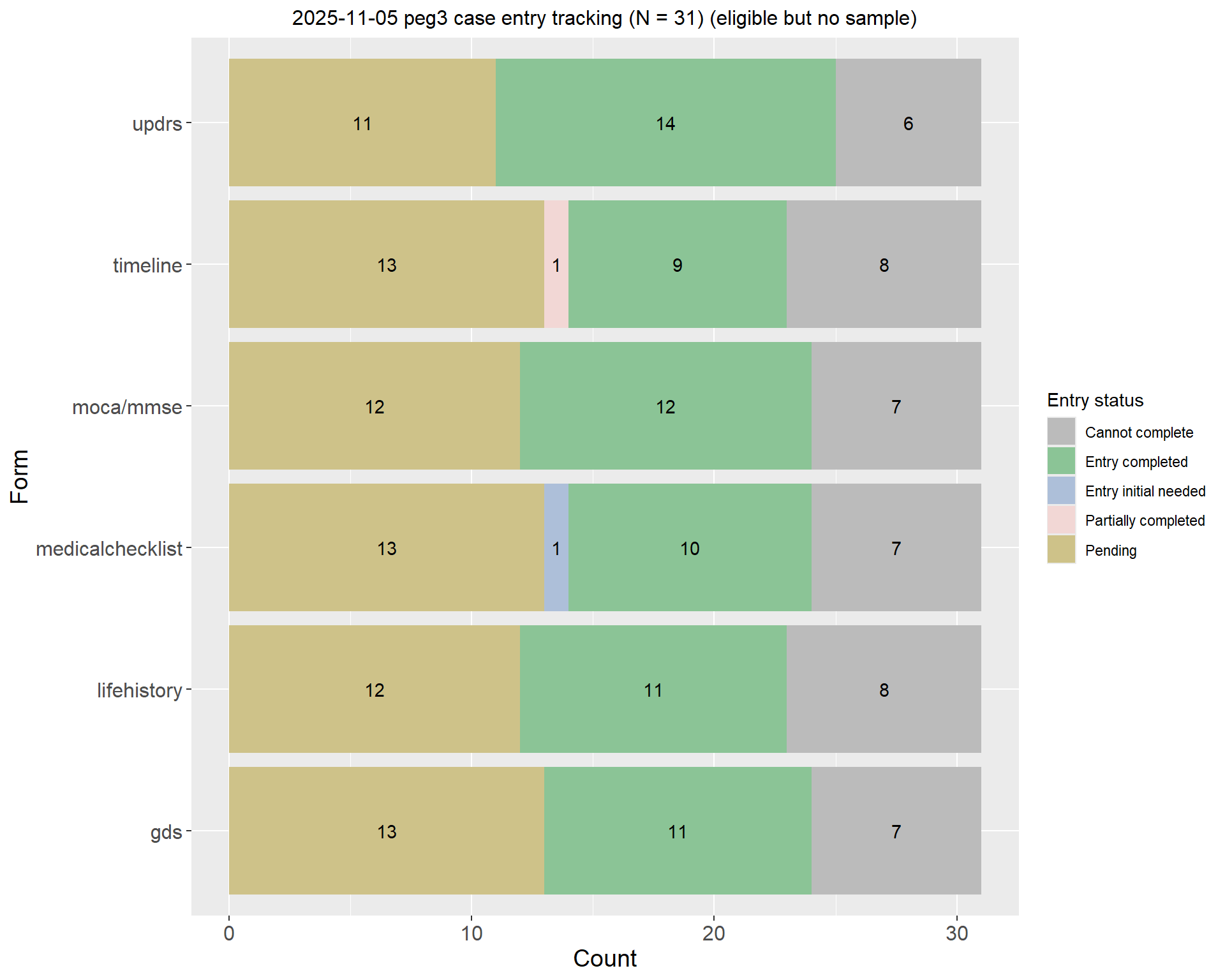
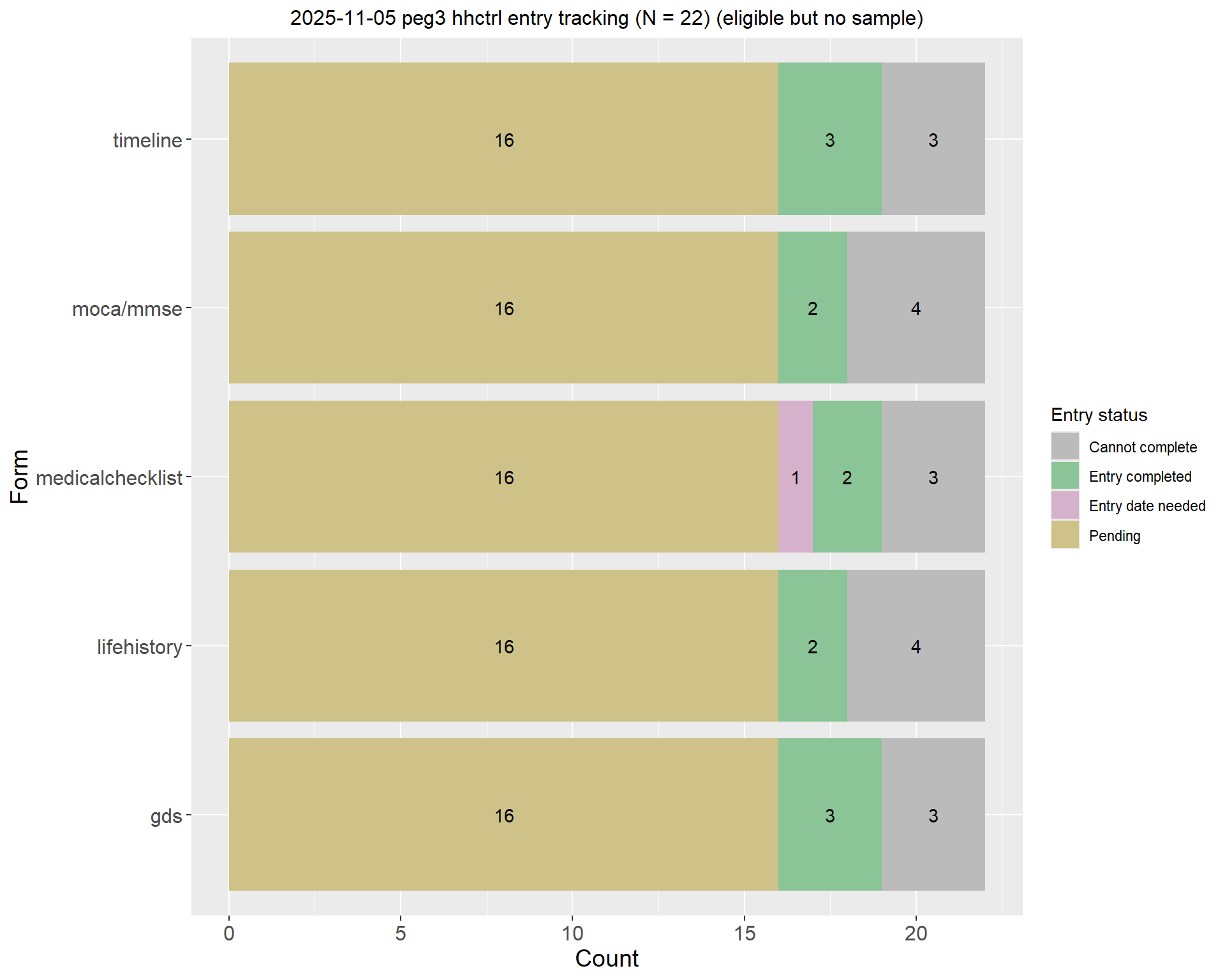
  • Entry completed: Both entry initial and entry date are completed
  • In old database: Both entry initial and entry date are null and participant is not in PEG3
  • Entry initial needed: Entry initial is null and entry date is completed
  • Entry date needed: Entry initial is completed and entry date is null
  • Partially completed: For timeline forms, if one of the forms (either occupation or residence) is completed, it is considered partially completed
  • Entry needed: Both entry initial and entry date are null and RA status indicated completed
  • Cannot complete: Entry initial and entry date are null and RA status indicated Deceased, Too ill, Do not contact, Ineligible, Withdrew / can use information or peg3status1 is not null
  • Cannot collect: screeningstatus contains Deceased, Institutionalized, or Too ill
  • Pending: All circumstances not covered by the above categories (i.e., haven’t been collected/RA checklist status not updated and haven’t been entered)

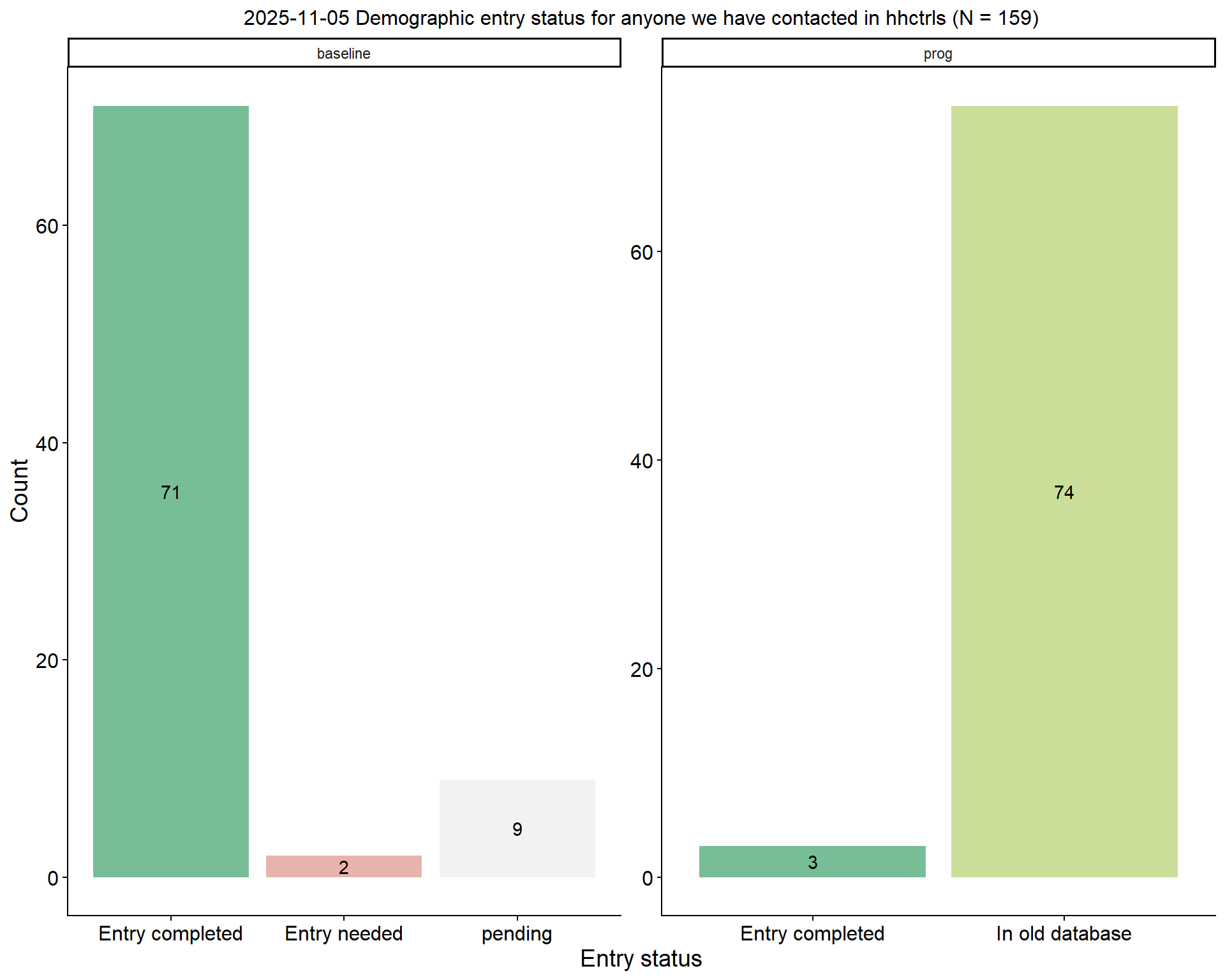
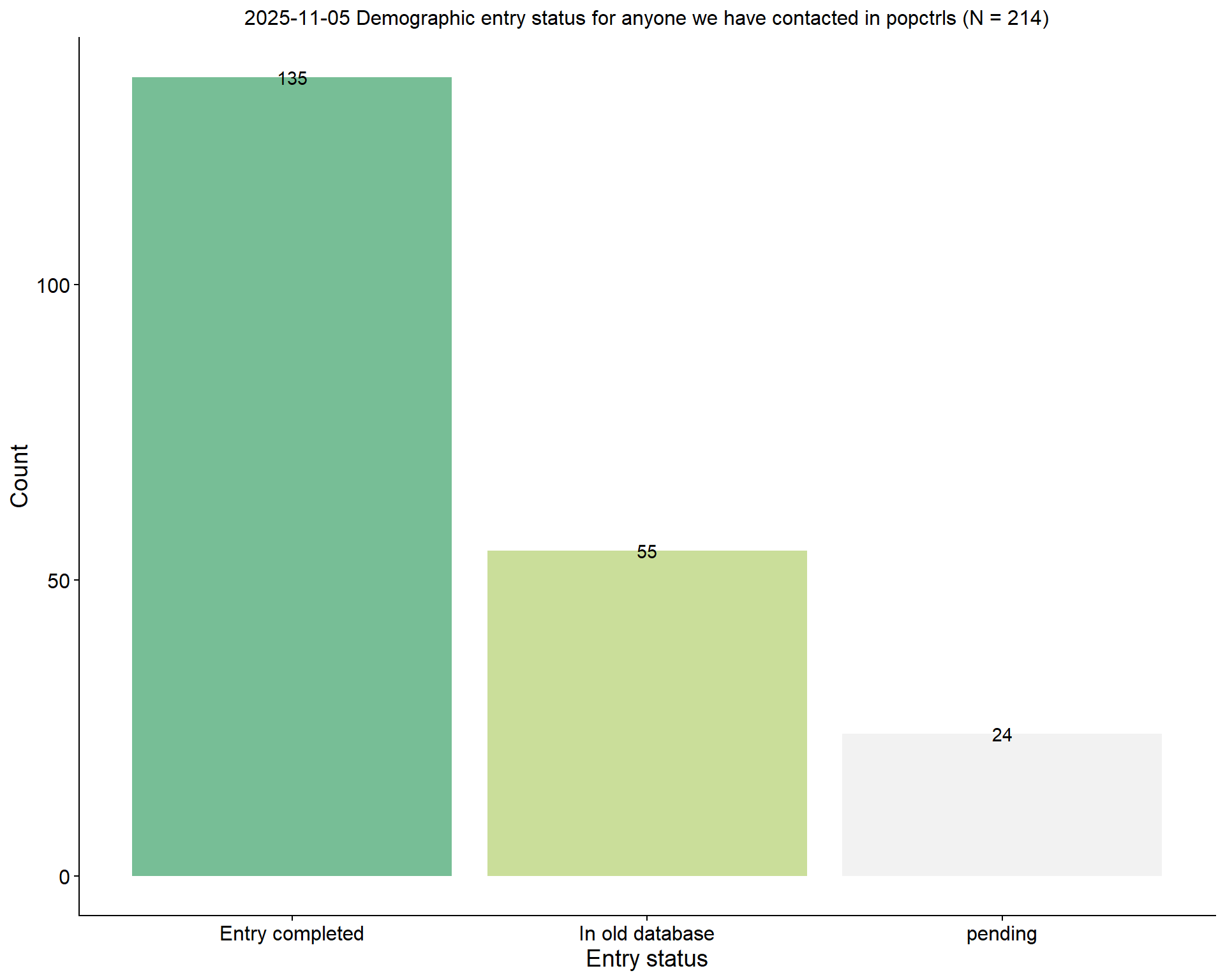
2.3 Demographic info for participants we have contacted

2.3.1 Overall

$Cases


$`Household Controls`


$`Population Controls`
2.3.2 By enrollment type

$Cases


$`Household Controls`


$`Population Controls`
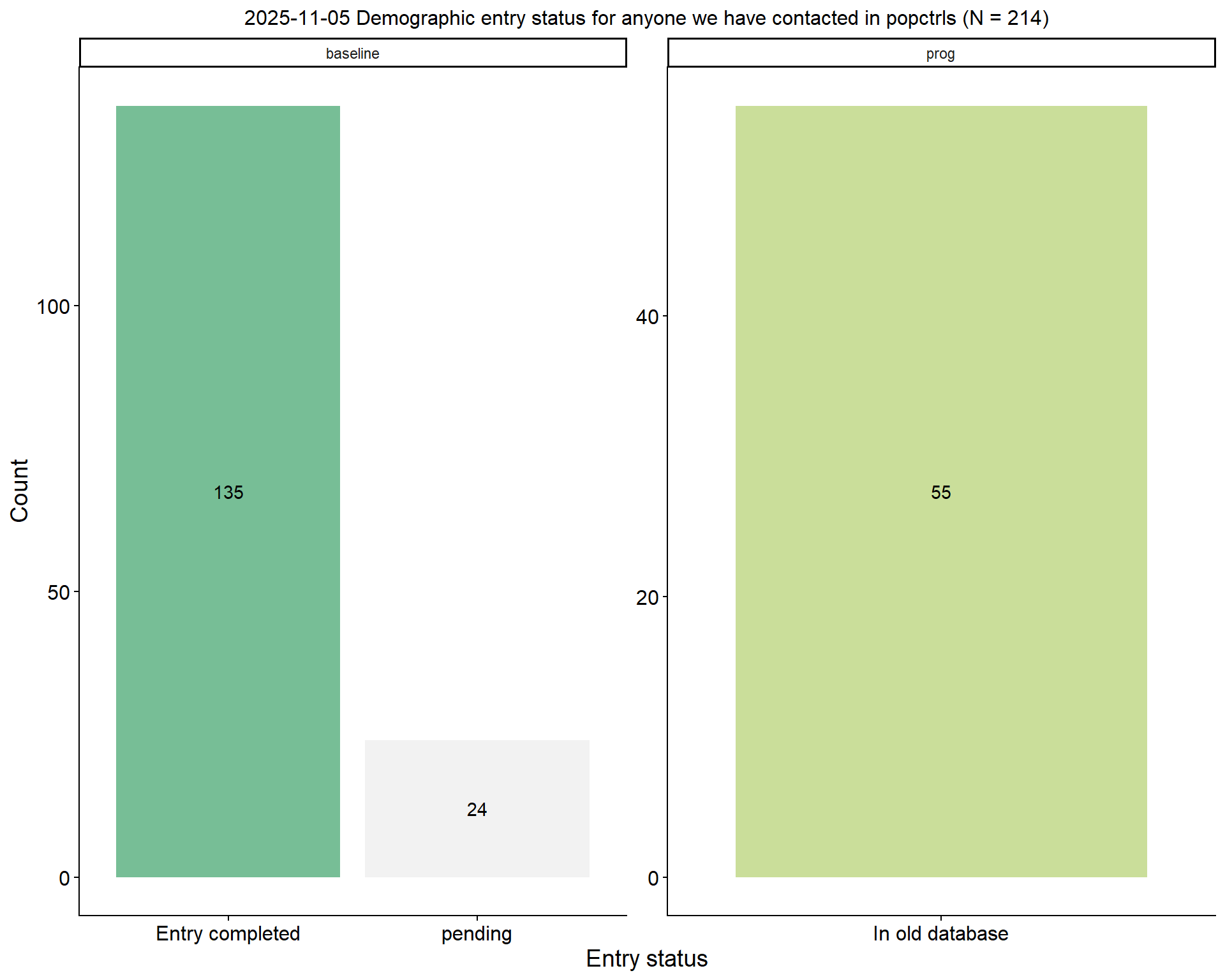
2.4 Form entry status

2.4.1 Participants who have any sample/ neuro exam (if cases)

$Cases


$`Household Controls`


$`Population Controls`
2.4.2 Participants who have both blood and stool sample

$Cases


$`Household Controls`


$`Population Controls`
2.4.3 Participants who have blood sample only

$Cases


$`Household Controls`


$`Population Controls`
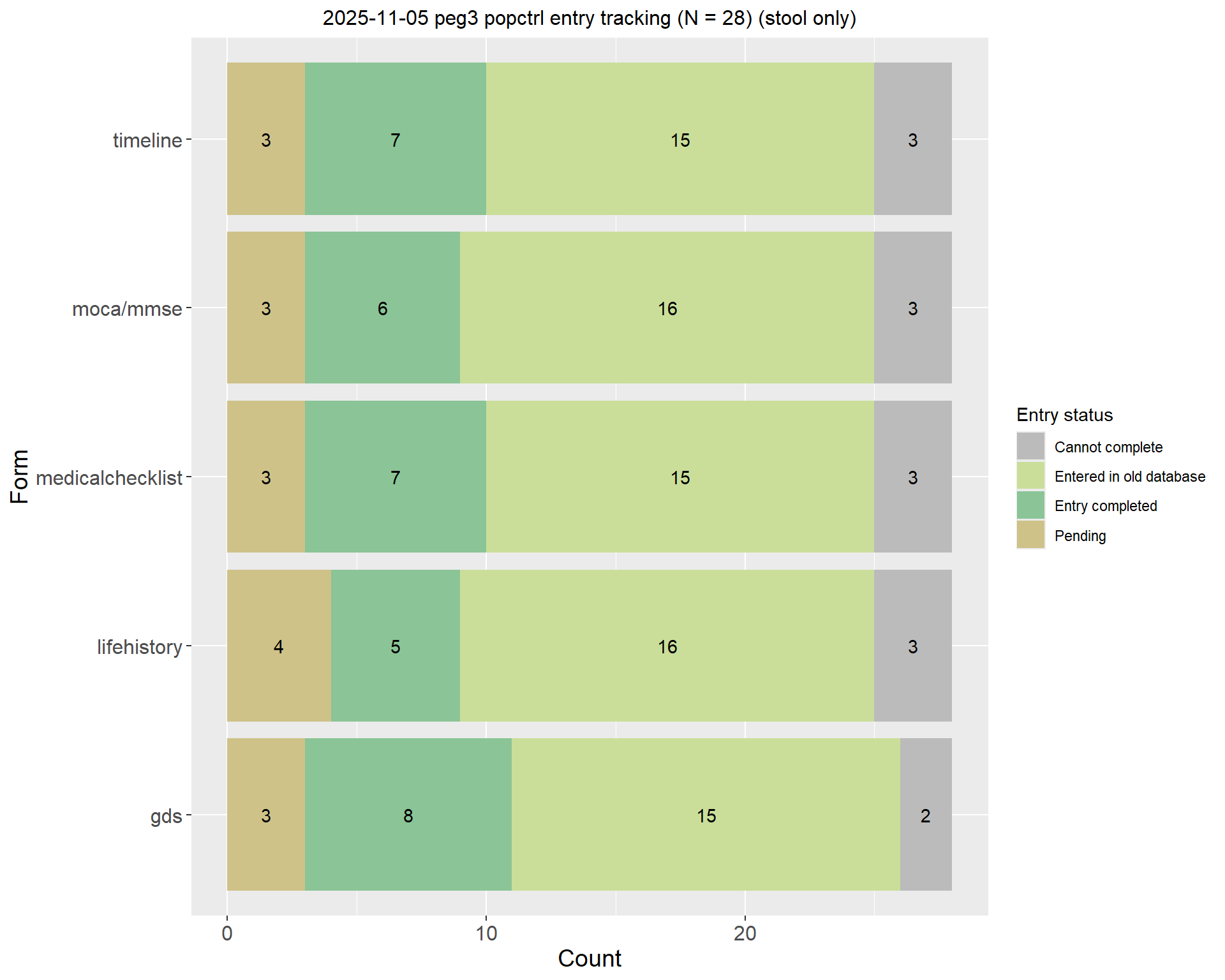
2.4.4 Participants who have stool sample only

$Cases


$`Household Controls`


$`Population Controls`
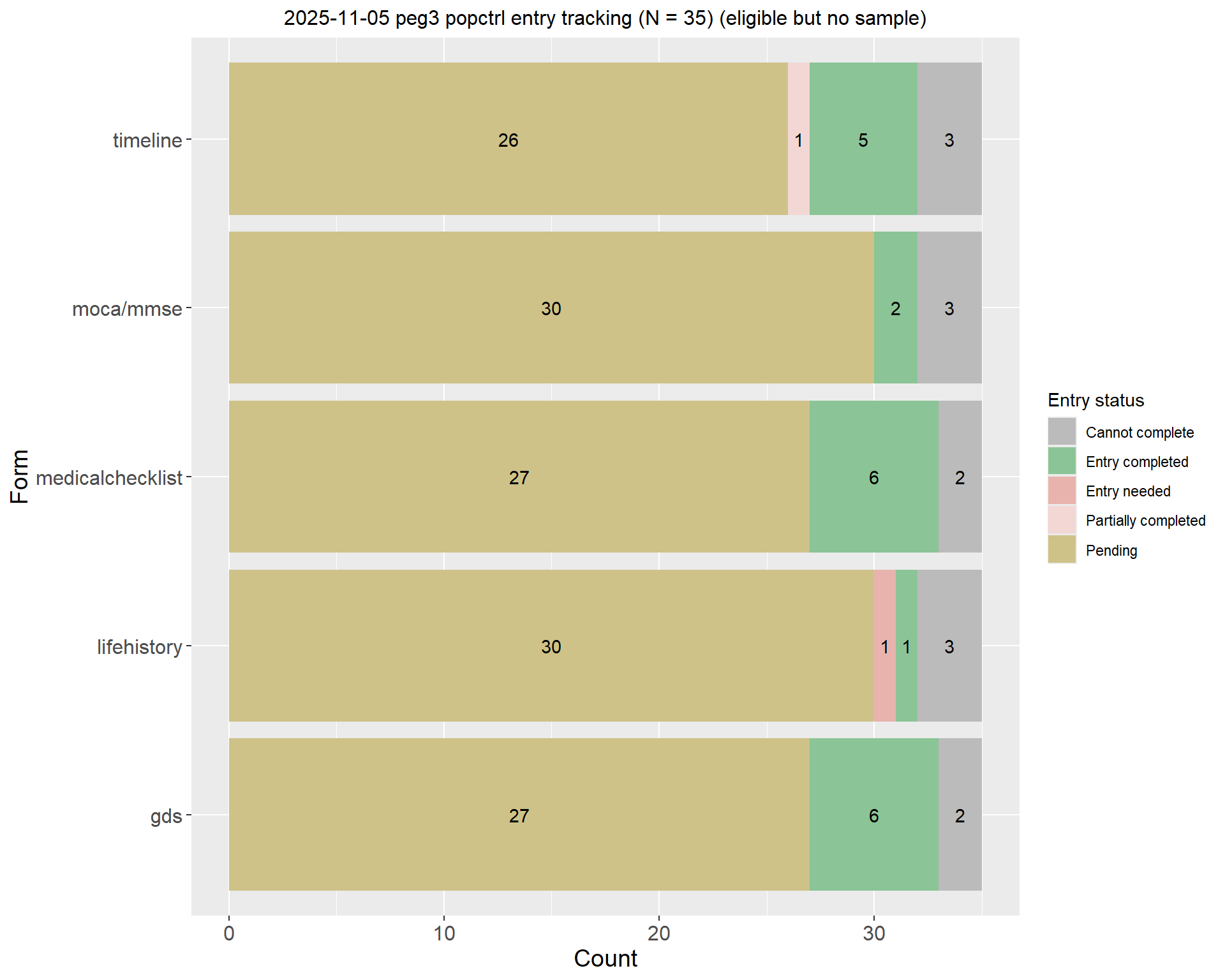
2.4.5 Participants who are eligible but have not provided any samples

$Cases


$`Household Controls`


$`Population Controls`
3 Detail tracking tables (with any sample)

3.1 Cases

3.2 Household Controls

3.3 Population Controls